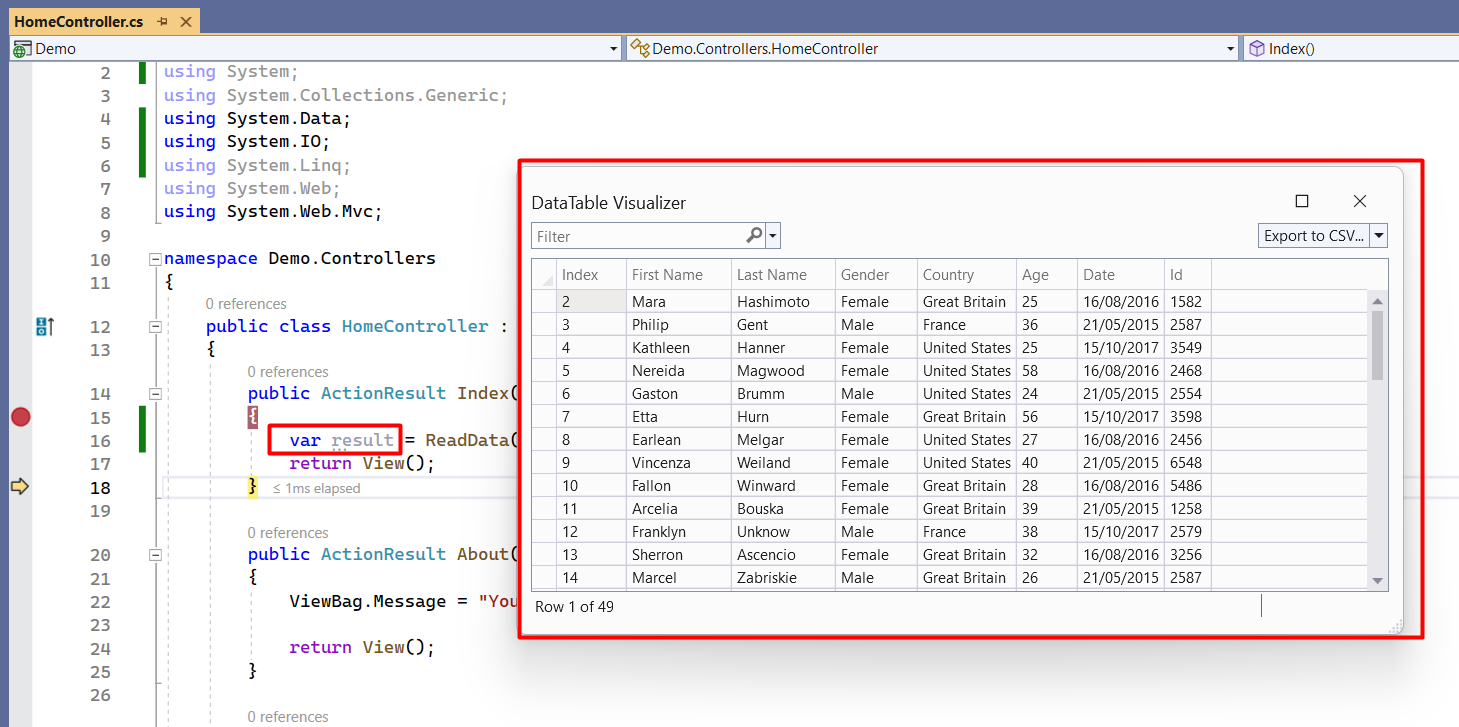
Import data from Excel in Asp.Net
Overview of ExcelDataReader
ExcelDataReader is a lightweight and fast library designed for reading Excel files in ASP.NET applications. It supports both the old Excel format (.xls) and the newer format (.xlsx), making it versatile for various use cases. By converting Excel data into a DataTable or DataSet, developers can easily manipulate and display the data in their applications.
This library is particularly useful for applications that require data import functionality, such as reporting tools, data analysis applications, or any system that needs to process bulk data from Excel spreadsheets. The ability to read Excel files programmatically can save time and reduce errors compared to manual data entry.
Prerequisites
Before you start importing data from Excel using ExcelDataReader, ensure you have the following:
- A working ASP.NET project (either ASP.NET Core or ASP.NET MVC).
- Visual Studio or any other compatible IDE.
- Basic knowledge of C# and ASP.NET development.
- Excel files (.xls or .xlsx) that you want to import.
Installing ExcelDataReader
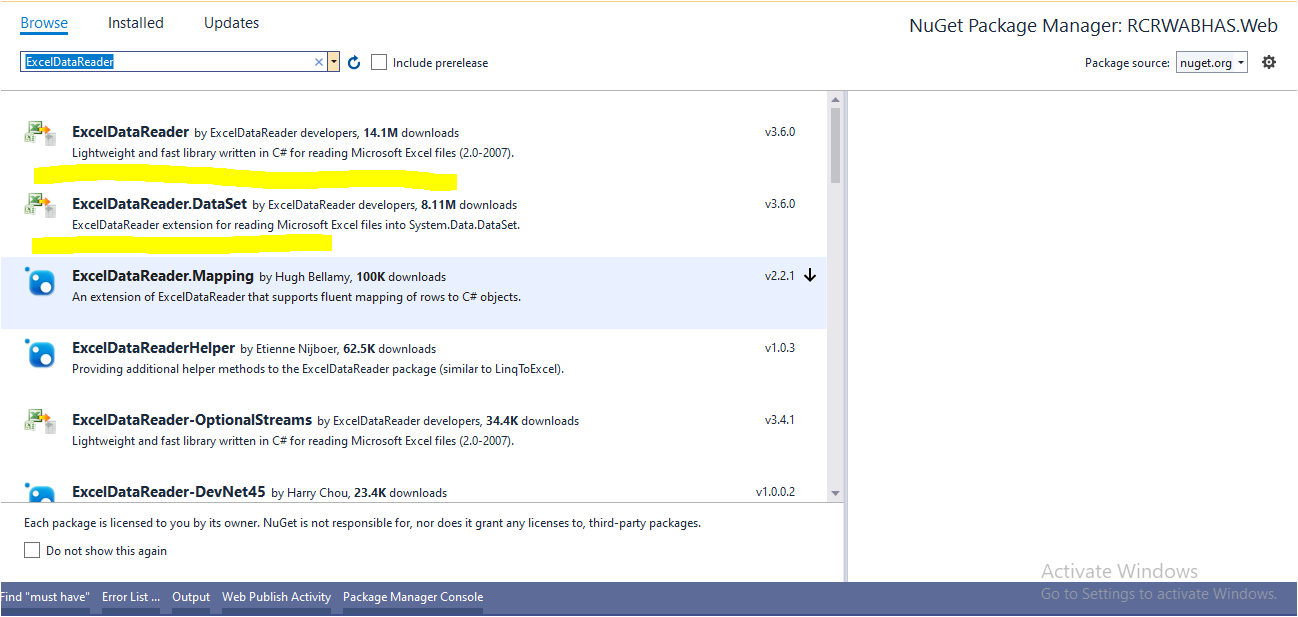
To begin, you need to install the required NuGet packages for ExcelDataReader. Follow these steps:
- Open your project in Visual Studio.
- Right-click on the project in the Solution Explorer and select Manage NuGet Packages.
- Search for ExcelDataReader and install it.
- Also, install ExcelDataReader.DataSet to enable DataSet support.
After installation, you will have access to the necessary classes and methods to read Excel files.
Reading Data from Excel
Once you have installed the required packages, you can start reading data from an Excel file. Below is a sample method that demonstrates how to read Excel data into a DataTable.
private DataTable ReadData() { var filePath = HttpContext.Current.Server.MapPath("~/ExcelFile/Test.xlsx"); var dataTable = new DataTable(); using (FileStream stream = File.Open(filePath, FileMode.Open, FileAccess.Read)) { IExcelDataReader excelReader; if (Path.GetExtension(filePath).ToUpper() == ".XLS") { excelReader = ExcelReaderFactory.CreateBinaryReader(stream); } else { excelReader = ExcelReaderFactory.CreateOpenXmlReader(stream); } var conf = new ExcelDataSetConfiguration { ConfigureDataTable = _ => new ExcelDataTableConfiguration { UseHeaderRow = true } }; var dataSet = excelReader.AsDataSet(conf); dataTable = dataSet.Tables[0]; dataTable.Rows.RemoveAt(0); } return dataTable; }In this method:
- We define the file path of the Excel file.
- We open the file stream and create an appropriate reader based on the file extension.
- Using ExcelDataSetConfiguration, we specify that the first row should be treated as column headers.
- Finally, we extract the first table from the DataSet.
Ensure that you have placed a sample Excel file named Test.xlsx in the ExcelFile folder within your project root.
Handling Different Excel Formats
ExcelDataReader can handle both .xls and .xlsx formats. However, it’s important to note the differences in how these files are structured:
- .xls files are binary files that can be read using CreateBinaryReader.
- .xlsx files are XML-based files and require CreateOpenXmlReader.
In the provided code, we check the file extension and select the appropriate method to read the file. This ensures that our application can handle both formats seamlessly.
Edge Cases & Gotchas
When working with Excel files, there are several edge cases to be aware of:
- Empty Rows: Ensure that your data does not contain empty rows that could lead to unexpected results in your DataTable.
- Data Types: Excel does not enforce data types strictly, so numeric columns may contain text values. Handle potential exceptions when parsing data.
- File Path Issues: Ensure that the file path is correct and that the application has permission to access the file.
Performance & Best Practices
To optimize performance when importing data from Excel:
- Limit Data Size: If possible, limit the amount of data being imported to only what is necessary to reduce memory usage.
- Use Async Operations: Consider using asynchronous file reading methods to avoid blocking the main thread, especially for large files.
- Validate Data: Implement validation checks on the imported data to ensure it meets your application’s requirements before processing.
Conclusion
In this blog post, we explored how to import data from Excel files into an ASP.NET application using the ExcelDataReader library. We discussed installation steps, reading data, handling different Excel formats, and best practices for performance optimization.
Key Takeaways:
- ExcelDataReader is a powerful library for reading Excel files in ASP.NET.
- Always validate and sanitize imported data to prevent errors.
- Handle different Excel formats appropriately to ensure compatibility.
- Implement performance best practices to improve the efficiency of your data import functionality.