
How to implement Paypal in Asp.Net Core 8.0
Hello guys and welcome to Code2Night, we often want to integrate payment gateways in our Asp.Net Core 8.0 applications. Some of the most popular payment gateways are PayUMoney, Paypal, stripe, and Razorpay. We have already covered PayUMoney and Stripe in ASP.NET Core 8.0 in our blogs. In this article, we will see how to implement PayPal in Asp.Net Core 8.0.
Paypal is a payment gateway that provides secure payments across the world. It helps you accept international payments at some price per transaction. There is no initial setup fee for implementing PayPal.So for integrating paypal in Asp.Net Core 8.0, we have to follow these steps :
First of all, take one Asp.net Core 8.0 mvc application and we will install the PayPal Nuget package which is shown in the image below
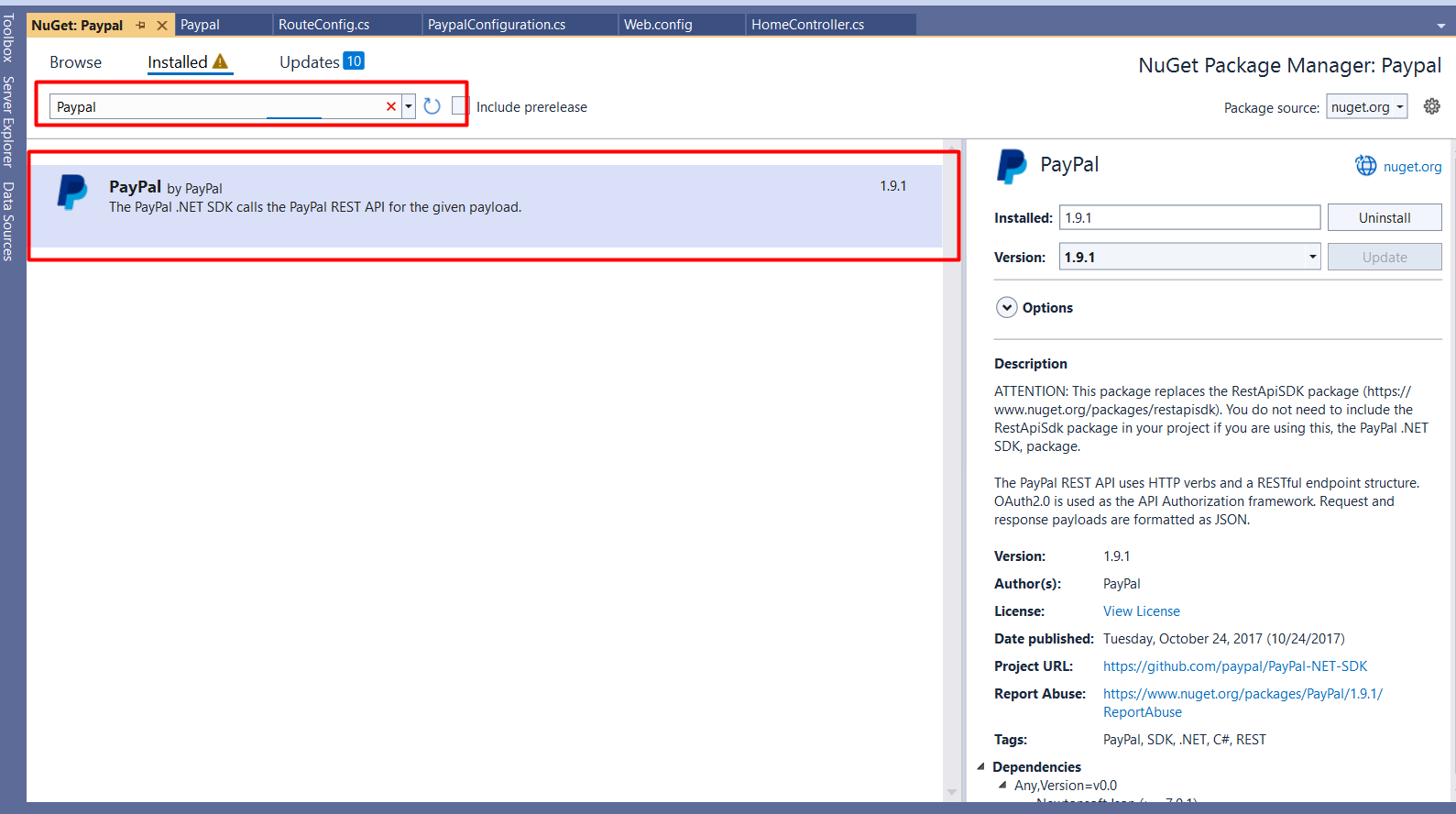
Install these packages from Nuget package
Microsoft.AspNetCore.Mvc.Razor.RuntimeCompilation
Newtonsoft.Json
PayPal
System.Configuration.ConfigurationManager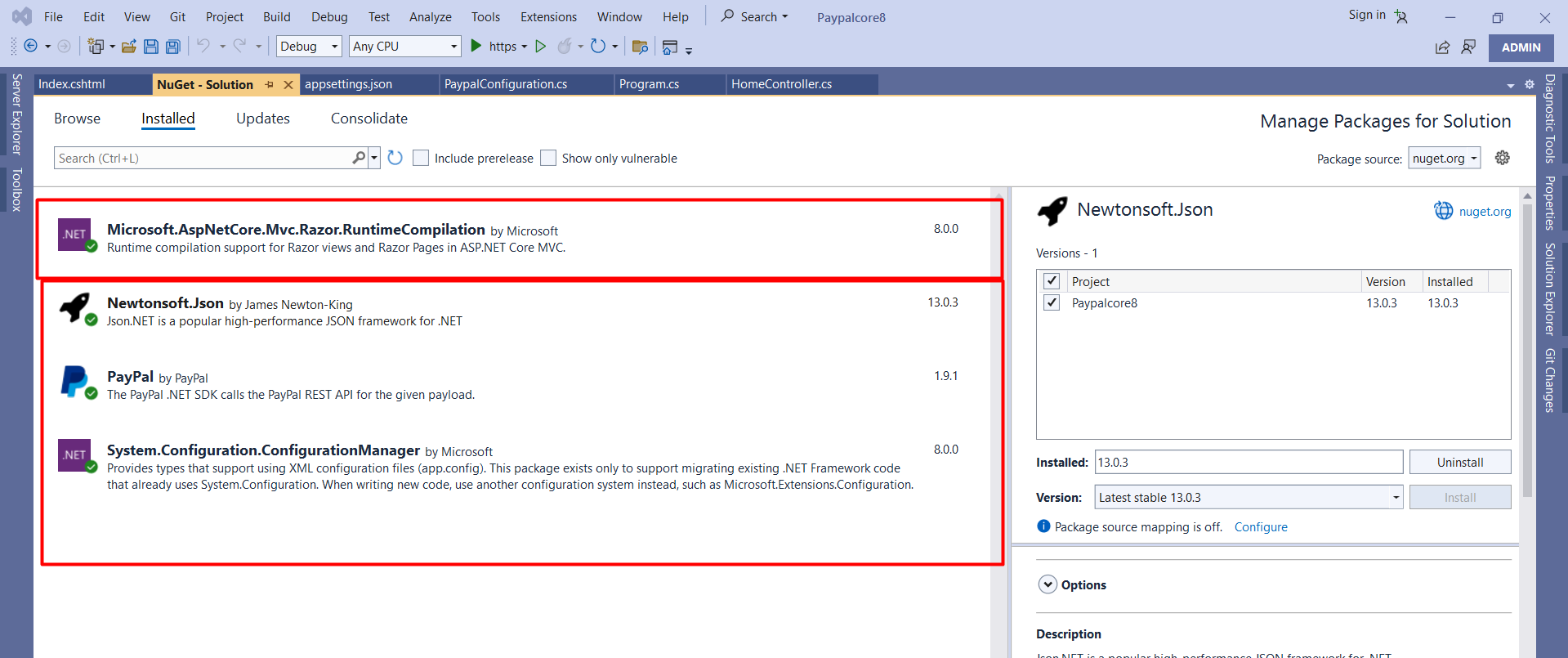
After you have done installing the PayPal Nuget package we will have to take one new controller where we will add the PayPal integration code. You have to add these namespaces on the controller
using PayPal.Api;
So, now we have to add these methods in our controller, this method will help us initialize payment and redirect to the payment page
  public class HomeController : Controller
    {
        private readonly ILogger<HomeController> _logger;
        private IHttpContextAccessor httpContextAccessor;
        IConfiguration _configuration;
        public HomeController(ILogger<HomeController> logger, IHttpContextAccessor context, IConfiguration iconfiguration)
        {
            _logger = logger;
            httpContextAccessor = context;
            _configuration = iconfiguration;
        }

        public IActionResult Index()
        {
            return View();
        }

        public ActionResult PaymentWithPaypal(string Cancel = null, string blogId = "", string PayerID = "", string guid = "")
        {
            //getting the apiContext
            var ClientID = _configuration.GetValue<string>("PayPal:Key");
            var ClientSecret = _configuration.GetValue<string>("PayPal:Secret");
            var mode = _configuration.GetValue<string>("PayPal:mode");
            APIContext apiContext = PaypalConfiguration.GetAPIContext(ClientID, ClientSecret, mode);
            // apiContext.AccessToken="Bearer access_token$production$j27yms5fthzx9vzm$c123e8e154c510d70ad20e396dd28287";
            try
            {
                //A resource representing a Payer that funds a payment Payment Method as paypal
                //Payer Id will be returned when payment proceeds or click to pay
                string payerId = PayerID;
                if (string.IsNullOrEmpty(payerId))
                {
                    //this section will be executed first because PayerID doesn't exist
                    //it is returned by the create function call of the payment class
                    // Creating a payment
                    // baseURL is the url on which paypal sendsback the data.
                    string baseURI = this.Request.Scheme + "://" + this.Request.Host + "/Home/PaymentWithPayPal?";
                    //here we are generating guid for storing the paymentID received in session
                    //which will be used in the payment execution
                    var guidd = Convert.ToString((new Random()).Next(100000));
                    guid = guidd;
                    //CreatePayment function gives us the payment approval url
                    //on which payer is redirected for paypal account payment
                    var createdPayment = this.CreatePayment(apiContext, baseURI + "guid=" + guid, blogId);
                    //get links returned from paypal in response to Create function call
                    var links = createdPayment.links.GetEnumerator();
                    string paypalRedirectUrl = null;
                    while (links.MoveNext())
                    {
                        Links lnk = links.Current;
                        if (lnk.rel.ToLower().Trim().Equals("approval_url"))
                        {
                            //saving the payapalredirect URL to which user will be redirected for payment
                            paypalRedirectUrl = lnk.href;
                        }
                    }
                    // saving the paymentID in the key guid
                    httpContextAccessor.HttpContext.Session.SetString("payment", createdPayment.id);
                    return Redirect(paypalRedirectUrl);
                }
                else
                {
                    // This function exectues after receving all parameters for the payment

                    var paymentId = httpContextAccessor.HttpContext.Session.GetString("payment");
                    var executedPayment = ExecutePayment(apiContext, payerId, paymentId as string);
                    //If executed payment failed then we will show payment failure message to user
                    if (executedPayment.state.ToLower() != "approved")
                    {

                        return View("PaymentFailed");
                    }
                    var blogIds = executedPayment.transactions[0].item_list.items[0].sku;


                    return View("PaymentSuccess");
                }
            }
            catch (Exception ex)
            {
                return View("PaymentFailed");
            }
            //on successful payment, show success page to user.
            return View("SuccessView");
        }
        private PayPal.Api.Payment payment;
        private Payment ExecutePayment(APIContext apiContext, string payerId, string paymentId)
        {
            var paymentExecution = new PaymentExecution()
            {
                payer_id = payerId
            };
            this.payment = new Payment()
            {
                id = paymentId
            };
            return this.payment.Execute(apiContext, paymentExecution);
        }
        private Payment CreatePayment(APIContext apiContext, string redirectUrl, string blogId)
        {
            //create itemlist and add item objects to it

            var itemList = new ItemList()
            {
                items = new List<Item>()
            };
            //Adding Item Details like name, currency, price etc
            itemList.items.Add(new Item()
            {
                name ="Item Detail",
                currency = "USD",
                price = "1.00",
                quantity = "1",
                sku = "asd"
            });
            var payer = new Payer()
            {
                payment_method = "paypal"
            };
            // Configure Redirect Urls here with RedirectUrls object
            var redirUrls = new RedirectUrls()
            {
                cancel_url = redirectUrl + "&Cancel=true",
                return_url = redirectUrl
            };
            // Adding Tax, shipping and Subtotal details
            //var details = new Details()
            //{
            //    tax = "1",
            //    shipping = "1",
            //    subtotal = "1"
            //};
            //Final amount with details
            var amount = new Amount()
            {
                currency = "USD",
                total = "1.00", // Total must be equal to sum of tax, shipping and subtotal.
                //details = details
            };
            var transactionList = new List<Transaction>();
            // Adding description about the transaction
            transactionList.Add(new Transaction()
            {
                description = "Transaction description",
                invoice_number = Guid.NewGuid().ToString(), //Generate an Invoice No
                amount = amount,
                item_list = itemList
            });
            this.payment = new Payment()
            {
                intent = "sale",
                payer = payer,
                transactions = transactionList,
                redirect_urls = redirUrls
            };
            // Create a payment using a APIContext
            return this.payment.Create(apiContext);
        }


    }
After this now you have to go to the model's folder and add a new class file PaypalConfiguration.cs . And add the following code there
   public static class PaypalConfiguration
    {
        //Variables for storing the clientID and clientSecret key

        //Constructor

        static PaypalConfiguration()
        {

        }
        // getting properties from the web.config
        public static Dictionary<string, string> GetConfig(string mode)
        {
            return new Dictionary<string, string>()
            {
                {"mode",mode}
            };
        }
        private static string GetAccessToken(string ClientId, string ClientSecret, string mode)
        {
            // getting accesstocken from paypal
            string accessToken = new OAuthTokenCredential(ClientId, ClientSecret, new Dictionary<string, string>()
            {
                {"mode",mode}
            }).GetAccessToken();
            return accessToken;
        }
        public static APIContext GetAPIContext(string clientId, string clientSecret, string mode)
        {
            // return apicontext object by invoking it with the accesstoken
            APIContext apiContext = new APIContext(GetAccessToken(clientId, clientSecret, mode));
            apiContext.Config = GetConfig(mode);
            return apiContext;
        }
    }
Now go to your web config file and add two app settings for client id and client secret
{
  "Logging": {
    "LogLevel": {
      "Default": "Information",
      "Microsoft": "Warning",
      "Microsoft.Hosting.Lifetime": "Information"
    }
  },
  "AllowedHosts": "*",
  "PayPal": {
    "Key": "AfIlrsSZigDDFLni0K2VIUrfLObfNvqtCT2mcBvNUxgLTxPUs_o21gVTjoggSpYFcF2hqkMhfVUSqCv1w",
    "Secret": "ECeznQaEnGGSzbtF1mNvyZPSUIrZxfsA-XJlZgrDwjJSI1hj1lqT5r1nISJLYeR2xwBarEg5Mq4n18Lm7",
    "mode": "sandbox"
  }
}
Here, please replace the credentials with your original credentials.
Now go to your Program.cs file and Replace the code
using Microsoft.Extensions.DependencyInjection.Extensions;

var builder = WebApplication.CreateBuilder(args);

// Add services to the container.
builder.Services.AddControllersWithViews();
builder.Services.AddControllersWithViews();
builder.Services.AddMvc().AddSessionStateTempDataProvider();
builder.Services.AddSession();
builder.Services.AddRazorPages();
builder.Services.AddHttpContextAccessor();

var app = builder.Build();

// Configure the HTTP request pipeline.
if (!app.Environment.IsDevelopment())
{
    app.UseExceptionHandler("/Home/Error");
    // The default HSTS value is 30 days. You may want to change this for production scenarios, see https://aka.ms/aspnetcore-hsts.
    app.UseHsts();
}

app.UseHttpsRedirection();
app.UseStaticFiles();
app.UseRouting();
app.UseSession();
app.UseAuthorization();

app.MapControllerRoute(
    name: "default",
    pattern: "{controller=Home}/{action=Index}/{id?}");

app.Run();
Now add one view and add the following code there for the payment button
<a class="btn btn-primary" href="/Home/PaymentWithPaypal">Pay Now</a>
Now, we have to run the application and you will see this
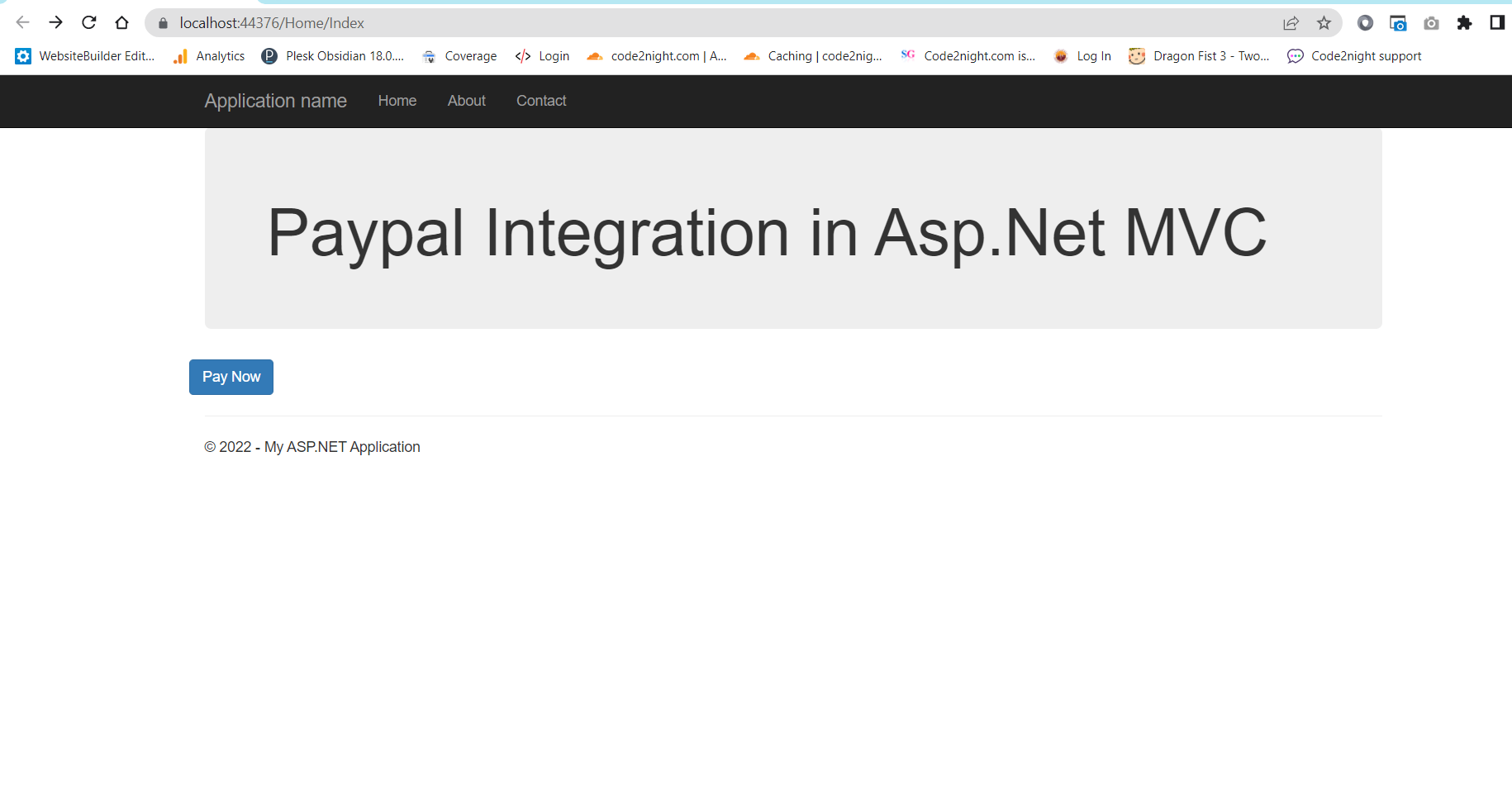 Click on the button and it will call Action PaymentWithPaypal on HomeController. Now, it will create one default item and redirect to the payment page as shown below
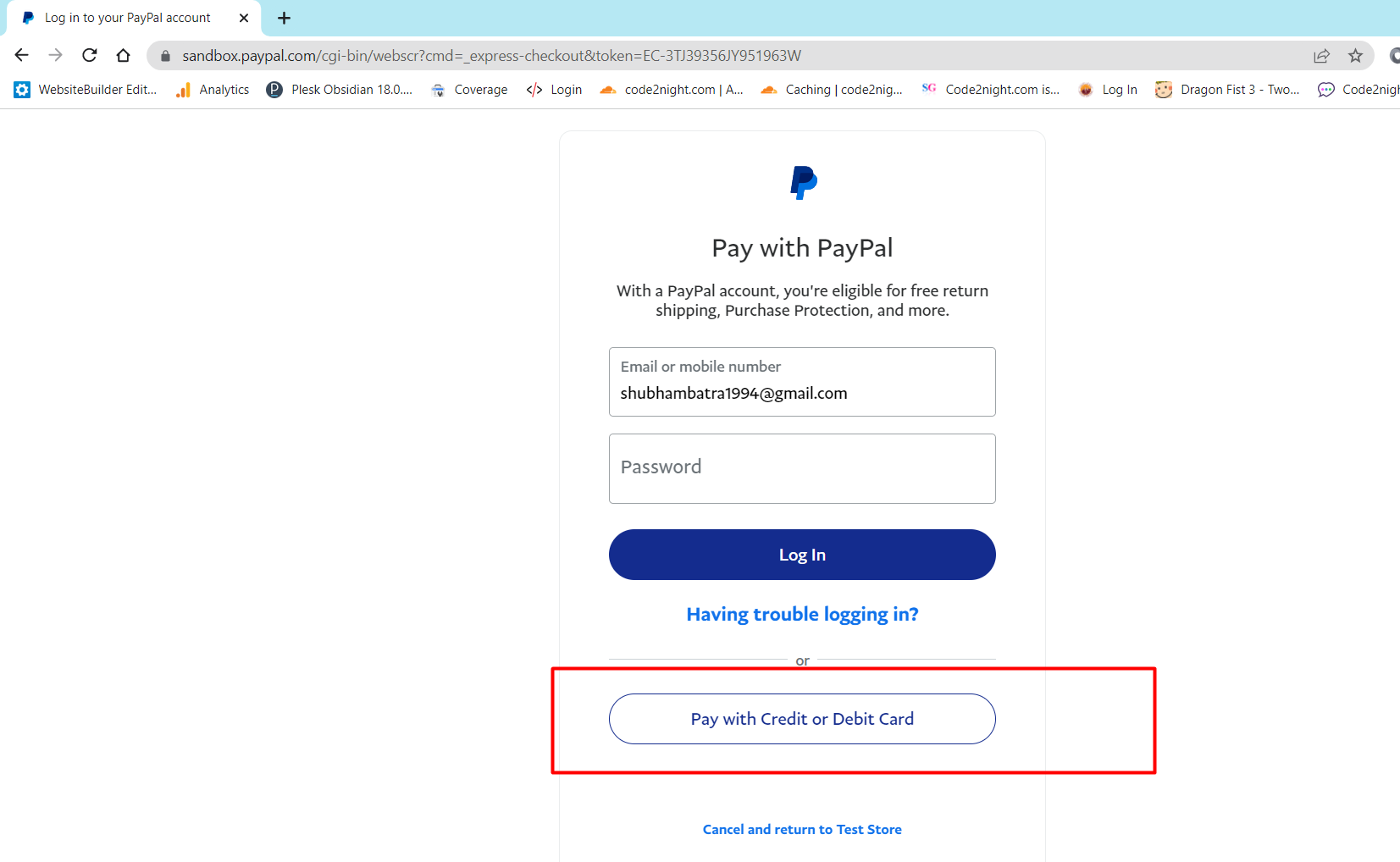
Now click on the Pay with credit or debit card button and it will redirect to a screen where you will have to add card details.
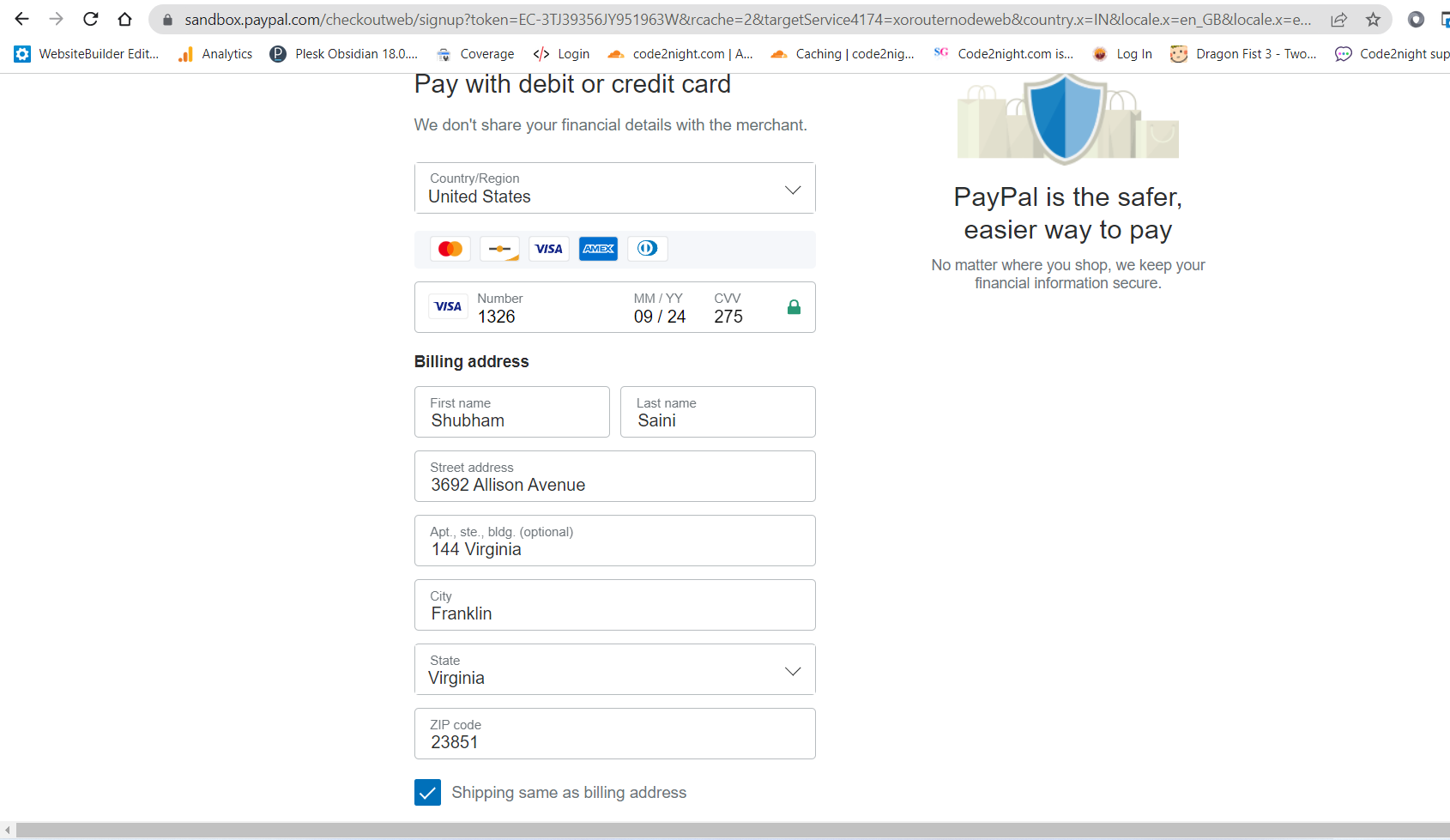
You can fill in the following details here for sandbox testing
Country - United States
Card Type: Visa
Card Number: 4032034155351326
Expiration Date: 09/24
CVV: 275

Street:  4790 Deer Haven Drive
City:  Greenville
State/province/area:   South Carolina
Phone number  864-353-5437
Zip code  29601
Country calling code  +1
Now click on continue as a guest and it will hit back the same method 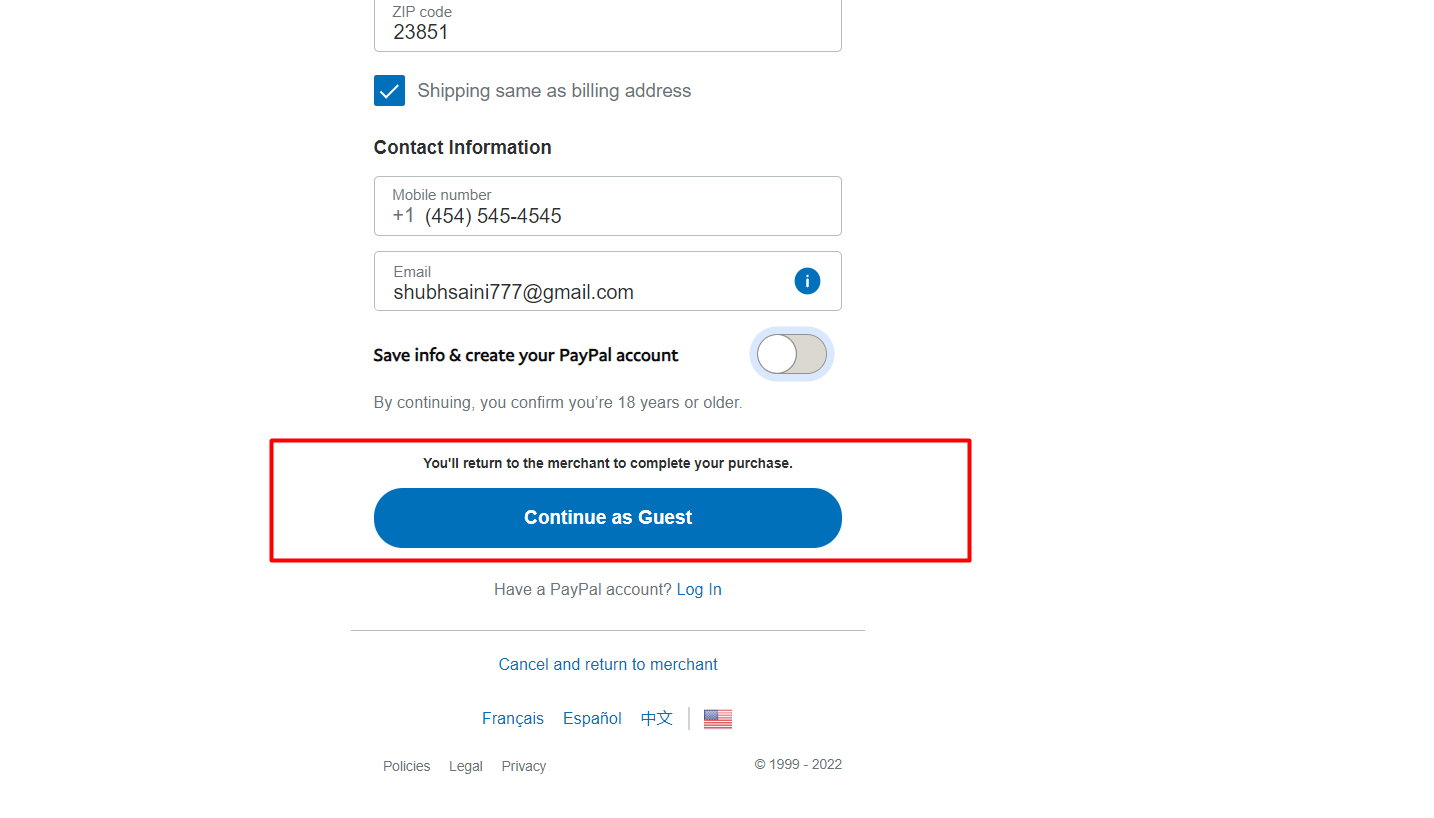 Here, you can add a breakpoint and check if your payment is approved
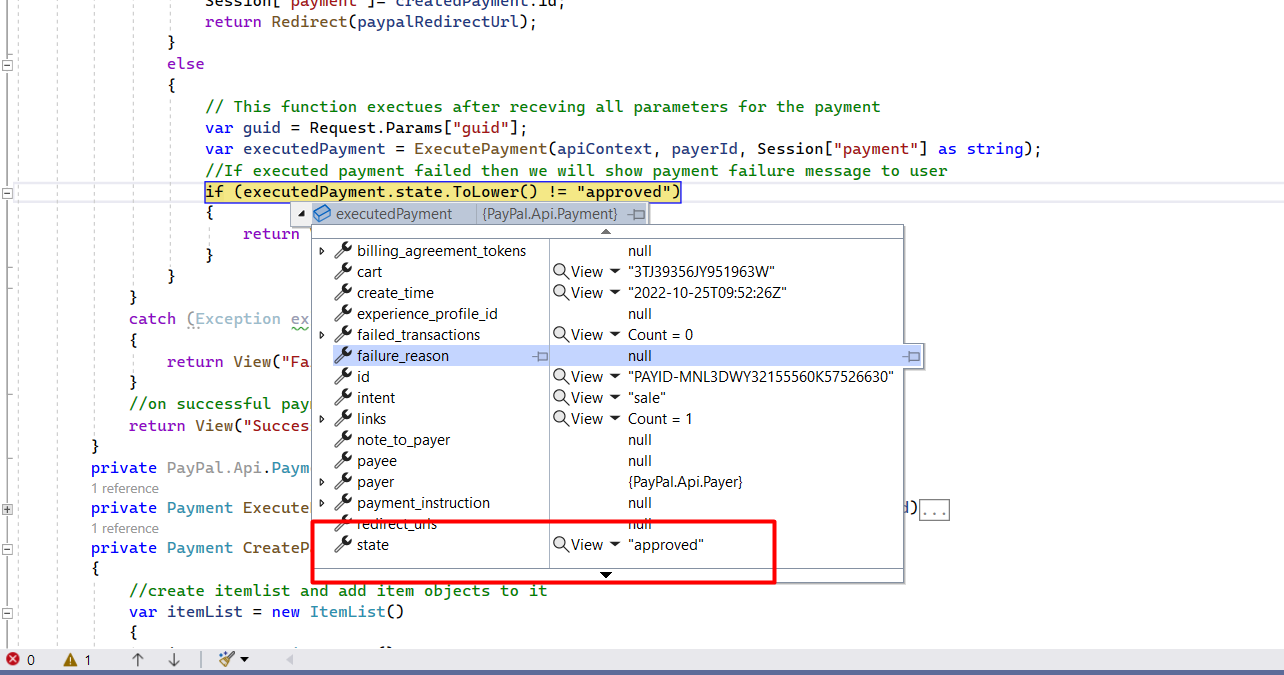
For, the production environment you can use
 { "Logging": {
    "LogLevel": {
      "Default": "Information",
      "Microsoft": "Warning",
      "Microsoft.Hosting.Lifetime": "Information"
    }
  },
  "AllowedHosts": "*",
  "PayPal": {
    "Key": "AfIlrsSZigDDFLni0K2VIUrfLObfNvqtCT2mcBvNUxgLTxPUs_o21gVTjoggSpYFcF2hqkMhfVUSqCv1w",
    "Secret": "ECeznQaEnGGSzbtF1mNvyZPSUIrZxfsA-XJlZgrDwjJSI1hj1lqT5r1nISJLYeR2xwBarEg5Mq4n18Lm7",
    "mode": "live" //For production
  }
}
So after changing the mode you just have to set live credentials in web.config and you will be able to use this on production.
This is how to implement Paypal in Asp.Net Core 8.0.
