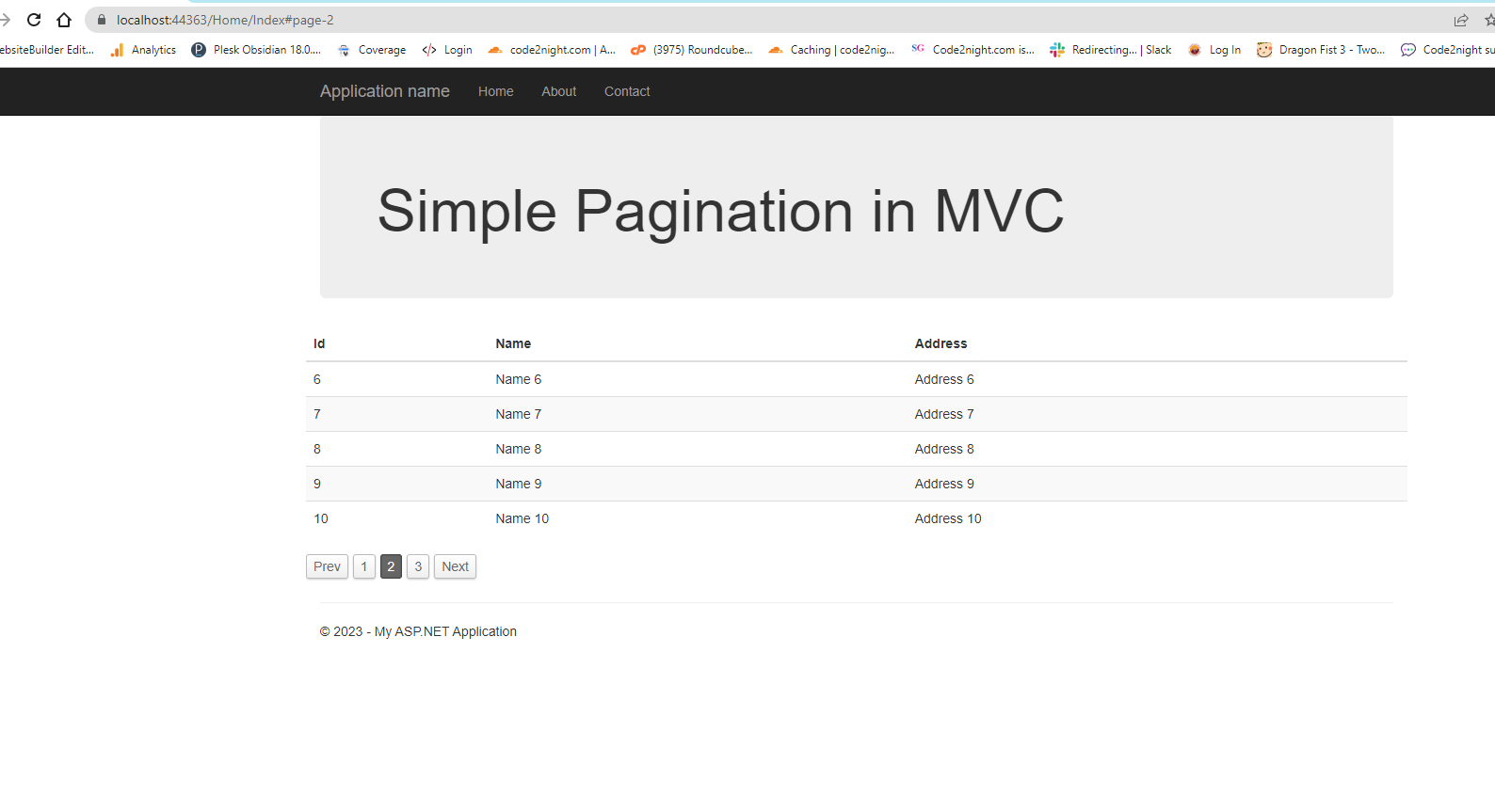
Simple Pagination in Asp.Net MVC
Overview of Pagination
Pagination is a technique used to divide a large dataset into smaller, more manageable sections. This is particularly useful in web applications where displaying all data at once can lead to overwhelming user experiences, slow loading times, and unnecessary data clutter. In ASP.NET MVC, pagination can be implemented either on the client side or the server side, each with its own set of advantages.
Client-side pagination involves loading all data at once and then using JavaScript to segment that data into pages. This is suitable for smaller datasets where performance is not a concern. On the other hand, server-side pagination retrieves only a subset of data from the server as needed, making it ideal for larger datasets where performance and speed are paramount.
In this tutorial, we will focus on implementing simple pagination using jQuery for client-side scenarios, as well as discussing how to extend this to server-side pagination for more complex applications.
Prerequisites
Before we dive into the implementation, ensure you have the following prerequisites:
- Basic understanding of ASP.NET MVC framework.
- Familiarity with HTML, CSS, and JavaScript.
- jQuery library included in your project.
Setting Up Your Project
To implement pagination in your ASP.NET MVC project, you need to include the necessary libraries and create a sample dataset. Begin by adding the following scripts and CSS to your webpage:
<script src="https://cdnjs.cloudflare.com/ajax/libs/jquery/3.6.3/jquery.min.js" integrity="sha512-STof4xm1wgkfm7heWqFJVn58Hm3EtS31XFaagaa8VMReCXAkQnJZ+jEy8PCC/iT18dFy95WcExNHFTqLyp72eQ==" crossorigin="anonymous" referrerpolicy="no-referrer"></script>
<link rel="stylesheet" href="https://cdnjs.cloudflare.com/ajax/libs/simplePagination.js/1.4/simplePagination.css" integrity="sha512-emkhkASXU1wKqnSDVZiYpSKjYEPP8RRG2lgIxDFVI4f/twjijBnDItdaRh7j+VRKFs4YzrAcV17JeFqX+3NVig==" crossorigin="anonymous" referrerpolicy="no-referrer" />
<script src="https://cdnjs.cloudflare.com/ajax/libs/simplePagination.js/1.4/jquery.simplePagination.js" integrity="sha512-D8ZYpkcpCShIdi/rxpVjyKIo4+cos46+lUaPOn2RXe8Wl5geuxwmFoP+0Aj6wiZghAphh4LNxnPDiW4B802rjQ==" crossorigin="anonymous" referrerpolicy="no-referrer"></script>
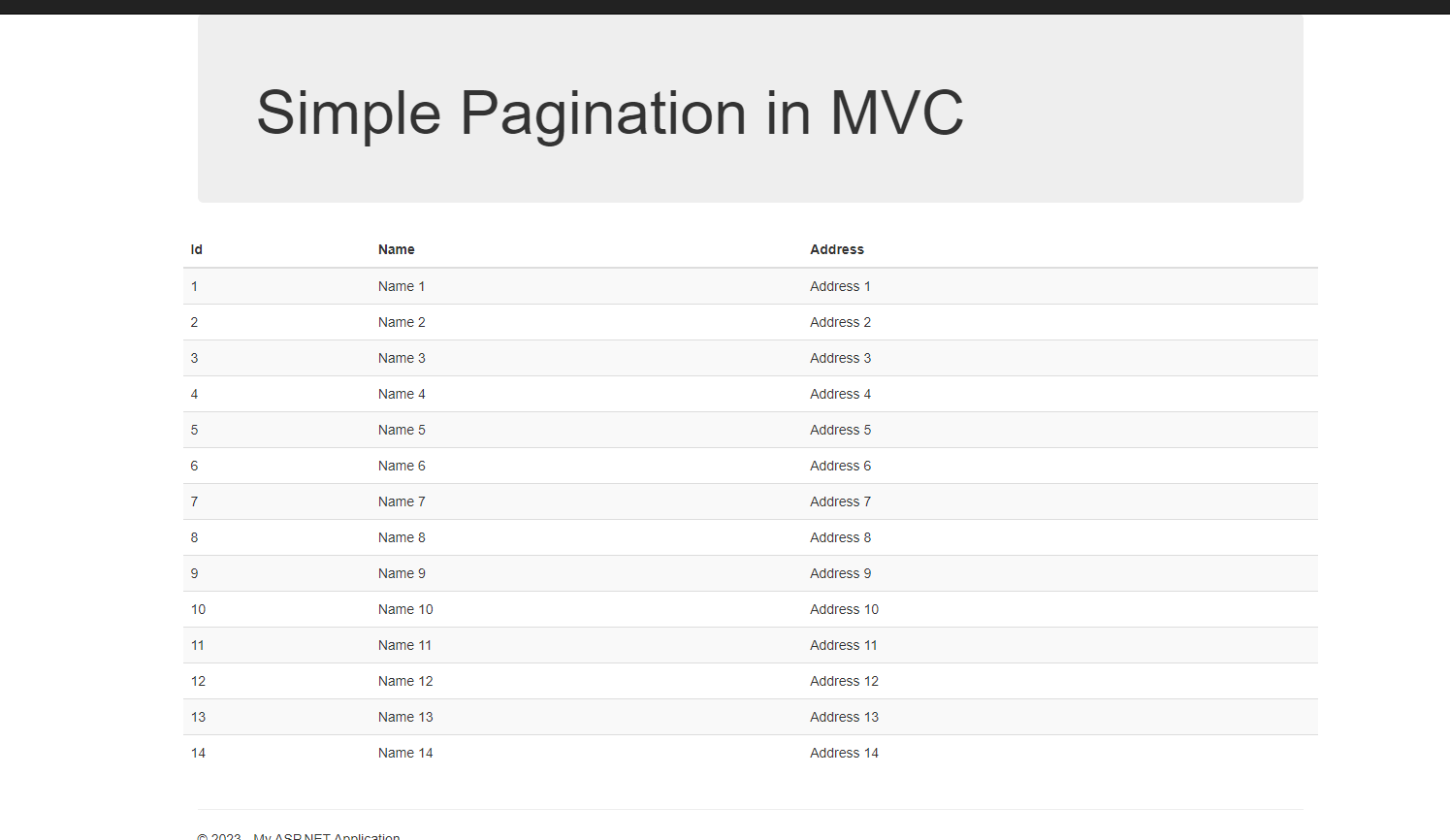
Next, create a table with some demo data that we will use to implement pagination:
<div class="row">
    <table id="tableDemo" class="table table-striped">
        <thead>
            <tr>
                <th>Id</th>
                <th>Name</th>
                <th>Address</th>
            </tr>
        </thead>
        <tbody>
            <tr><td>1</td><td>Name 1</td><td>Address 1</td></tr>
            <tr><td>2</td><td>Name 2</td><td>Address 2</td></tr>
            <tr><td>3</td><td>Name 3</td><td>Address 3</td></tr>
            <tr><td>4</td><td>Name 4</td><td>Address 4</td></tr>
            <tr><td>5</td><td>Name 5</td><td>Address 5</td></tr>
        </tbody>
    </table>
</div>
Implementing Client-Side Pagination
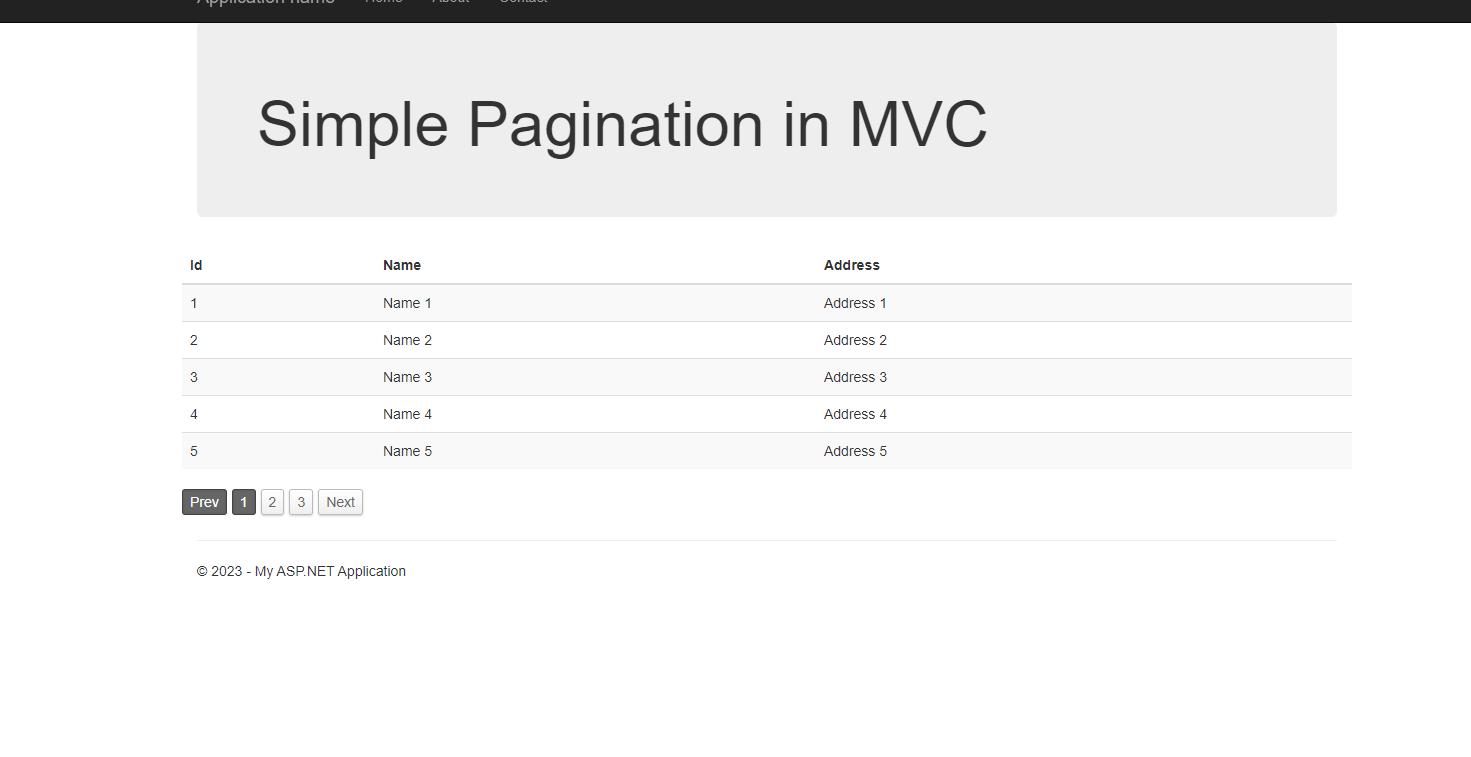
Once your setup is complete, we can proceed to implement client-side pagination using the Simple Pagination jQuery plugin. This plugin allows for easy pagination of HTML elements, making it perfect for our table.
To initialize the pagination, we will add a JavaScript function that selects our table and applies the pagination logic. Below is an example of how to do this:
$(document).ready(function() {
    var itemsPerPage = 2;
    var numItems = $('#tableDemo tbody tr').length;
    var pagination = $('#pagination');

    $('#tableDemo').simplePagination({
        items: numItems,
        itemsOnPage: itemsPerPage,
        cssStyle: 'light-theme',
        onPageClick: function(pageNumber) {
            var start = itemsPerPage * (pageNumber - 1);
            var end = start + itemsPerPage;
            $('#tableDemo tbody tr').hide().slice(start, end).show();
        }
    });
});
This code initializes the pagination, specifying the number of items per page and setting up a click event handler to show the correct rows based on the selected page.
Implementing Server-Side Pagination
Server-side pagination is crucial when dealing with large datasets. Instead of loading all the data at once, we only request the data needed for the current page from the server. This reduces load times and improves performance.
To implement server-side pagination in ASP.NET MVC, you will typically modify your controller to accept parameters for page number and page size, and then query your database accordingly. Here’s an example of a controller action that implements server-side pagination:
public ActionResult Index(int page = 1, int pageSize = 5) {
    var totalItems = db.Items.Count();
    var items = db.Items.OrderBy(i => i.Id)
                        .Skip((page - 1) * pageSize)
                        .Take(pageSize)
                        .ToList();

    ViewBag.TotalPages = Math.Ceiling((double)totalItems / pageSize);
    return View(items);
}
This action retrieves the total number of items, calculates the number of items to skip based on the current page, and fetches only the required items for that page.
In your view, you would then render pagination controls based on the total number of pages calculated in the ViewBag:
@for (int i = 1; i <= ViewBag.TotalPages; i++) {
    <a href="?page=@i">@i</a>
}
Edge Cases & Gotchas
While implementing pagination, there are several edge cases and challenges to consider:
- Empty Data Sets: Ensure that your pagination logic can handle cases where there are no items to display. This can be done by checking the total number of items and conditionally rendering pagination controls.
- Out of Range Pages: Implement logic to handle requests for pages that exceed the total number of available pages. This can be done by redirecting to the last page or showing an error message.
- Dynamic Data: If your data is dynamic, ensure that your pagination logic updates accordingly when items are added or removed. This may require re-fetching data or re-initializing pagination.
Performance & Best Practices
To optimize pagination performance, consider the following best practices:
- Limit Data on Initial Load: For server-side pagination, always limit the amount of data fetched on initial load. This helps reduce server load and improves response times.
- Asynchronous Loading: Implement AJAX calls to load data asynchronously when changing pages. This improves user experience as it avoids full page reloads.
- Cache Results: Use caching strategies to store frequently accessed data. This can significantly reduce database load and improve response times.
Conclusion
In this article, we covered the implementation of pagination in ASP.NET MVC using jQuery. We explored both client-side and server-side pagination techniques, and discussed best practices to ensure optimal performance. Here are the key takeaways:
- Pagination is essential for improving user experience in web applications.
- Client-side pagination is suitable for smaller datasets, while server-side pagination is necessary for larger datasets.
- Implementing pagination requires careful consideration of edge cases and performance optimizations.
- Utilizing jQuery and AJAX can enhance the interactivity and responsiveness of pagination features.