
Slick Slider with single slide
What is Slick Slider?
Slick Slider is a widely-used jQuery plugin that allows developers to create responsive and customizable sliders with ease. It is particularly popular for showcasing images, testimonials, and other content in a carousel format. The plugin is built on jQuery, making it easy to integrate into existing projects.
One of the key benefits of using Slick Slider is its versatility. You can create sliders with multiple items, lazy loading, autoplay features, and various transition effects. This makes it a perfect choice for any website looking to enhance its visual appeal and user engagement.
Prerequisites
Before you start implementing Slick Slider, ensure that you have a basic understanding of HTML, CSS, and jQuery. Additionally, you will need to include the Slick Slider CDN links in your project. Below are the necessary links you should add to your HTML file:
<link href="https://cdnjs.cloudflare.com/ajax/libs/slick-carousel/1.8.1/slick.css" rel="stylesheet" />
<link href="https://cdnjs.cloudflare.com/ajax/libs/slick-carousel/1.8.1/slick-theme.css" rel="stylesheet" />
<script src="https://cdnjs.cloudflare.com/ajax/libs/slick-carousel/1.8.1/slick.min.js"></script>
Make sure to include these links after the jQuery script to avoid any errors.
Setting Up the Slick Slider
To create a single slide slick slider, you need to structure your HTML properly. Below is an example of how to set up your slider:
<div class="row" style="text-align:center">
  <h1>Single Item</h1>
  <div class="single-item" style="width:500px;margin:auto auto">
    <div>
      <img style="width:500px;height:500px" src="https://www.androidpolice.com/wp-content/uploads/2020/12/15/Wallpaper-of-the-Week-2020-4-scaled.jpg" />
    </div>
    <div>
      <img style="width:500px;height:500px" src="https://encrypted-tbn0.gstatic.com/images?q=tbn:ANd9GcRfhrqVBL-0hEtWOj5N9Da6Nh23igvGt_1kKA&usqp=CAU" />
    </div>
  </div>
</div>
This code creates a container for your slider and includes multiple images. The images will be displayed as slides within the slider.
Initializing the Slick Slider
After setting up your HTML structure, you need to initialize the Slick Slider using jQuery. Below is the script to do this:
<script>
$(document).ready(function () {
  $('.single-item').slick();
});
</script>
Once you run your project, you should see your single slide slider in action. If your arrows are not visible, you can customize their appearance using the following CSS:
<style>
.slick-prev:before, .slick-next:before {
  color: red;
}
</style>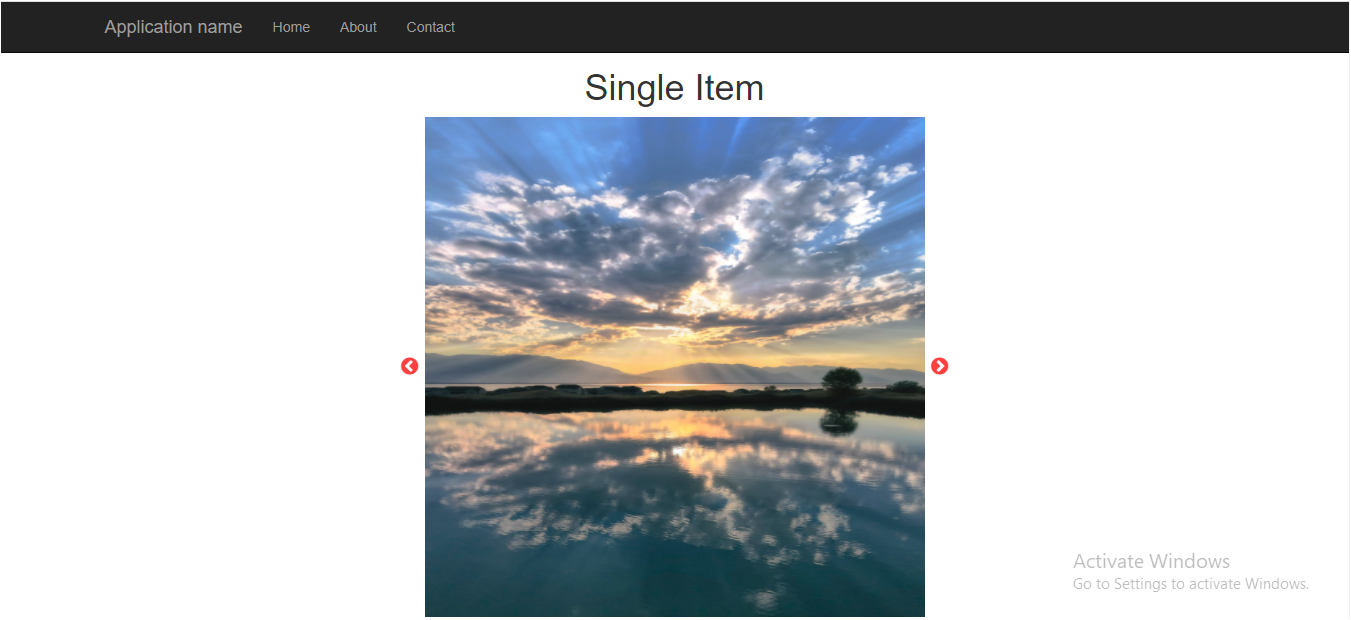
Customization Options
Slick Slider comes with a variety of options that allow you to customize the slider's behavior and appearance. Some key options include:
- autoplay: Enables automatic sliding of the items.
- speed: Sets the speed of the slide transition.
- dots: Displays navigation dots for each slide.
- infinite: Allows continuous looping of slides.
Below is an example of how to implement some of these customization options:
<script>
$(document).ready(function () {
  $('.single-item').slick({
    autoplay: true,
    speed: 500,
    dots: true,
    infinite: true
  });
});
</script>
Edge Cases & Gotchas
While working with Slick Slider, you may encounter some common issues:
- Images not loading: Ensure that your image URLs are correct and accessible. Broken links will prevent images from displaying.
- Slider not responding: This could be due to jQuery not being properly included. Check your console for any errors.
- CSS conflicts: If you have custom styles that conflict with Slick Slider's CSS, it may affect the appearance of your slider. Inspect elements to troubleshoot.
Performance & Best Practices
To ensure optimal performance when using Slick Slider, consider the following best practices:
- Lazy loading: Use the lazyLoad option to load images only when they are needed, which can significantly improve loading times.
- Minimize the number of slides: Too many slides can slow down your slider. Keep the number of slides to a necessary minimum.
- Use optimized images: Ensure that images are compressed and optimized for web use to reduce loading times.
- Test responsiveness: Always test your slider on various devices to ensure it looks good and performs well across different screen sizes.
Conclusion
In this article, we covered how to create a slick slider with a single slide and explored various customization options. Here are the key takeaways:
- Slick Slider is a powerful jQuery plugin for creating responsive sliders.
- Proper HTML structure and initialization are crucial for functionality.
- Customization options allow for a tailored user experience.
- Be aware of common issues and best practices to enhance performance.
